Published on:
•
Last Updated:
Modern digital printing technology has evolved a lot in the past few decades, and their printing capabilities are far from the original printing press that helped kickstart the industrial revolution over a hundred years ago.
If you’ve ever bought a home or office printer before, you may recognise that there are a few types of different digital printers for purchase on the market. Note that we’re talking about digital printing, which is different to offset printing. What you may not realise is that different printing methods also influence commercial printing like bulk book printing; it just happens to do so at a much bigger scale. The printing method used is actually one of the most important factors in creating a beautifully digitally printed book, and it’s something that you may need to consider depending on what kind of paper stock you’d like for a book project.
In this article, we’ll help you understand the different digital printing methods and how they can affect the quality and finish of your book - whether it’s a personal project or a corporate report with key deliverables.
Today’s Top Digital Printing Technologies
The two main ways of printing on paper in this day and age are by using inkjet and laser (also known as toner-based) printing technology. These are the two workhorses that drive almost all of printing done for businesses around the world. The commercial printing machines for either category work in the same way as the smaller home and office machines you can buy at a local Officeworks or JB Hi-Fi - they’re just way bigger, more powerful and enable professional print experts with more control on the output of a print.
What is Inkjet digital printing?
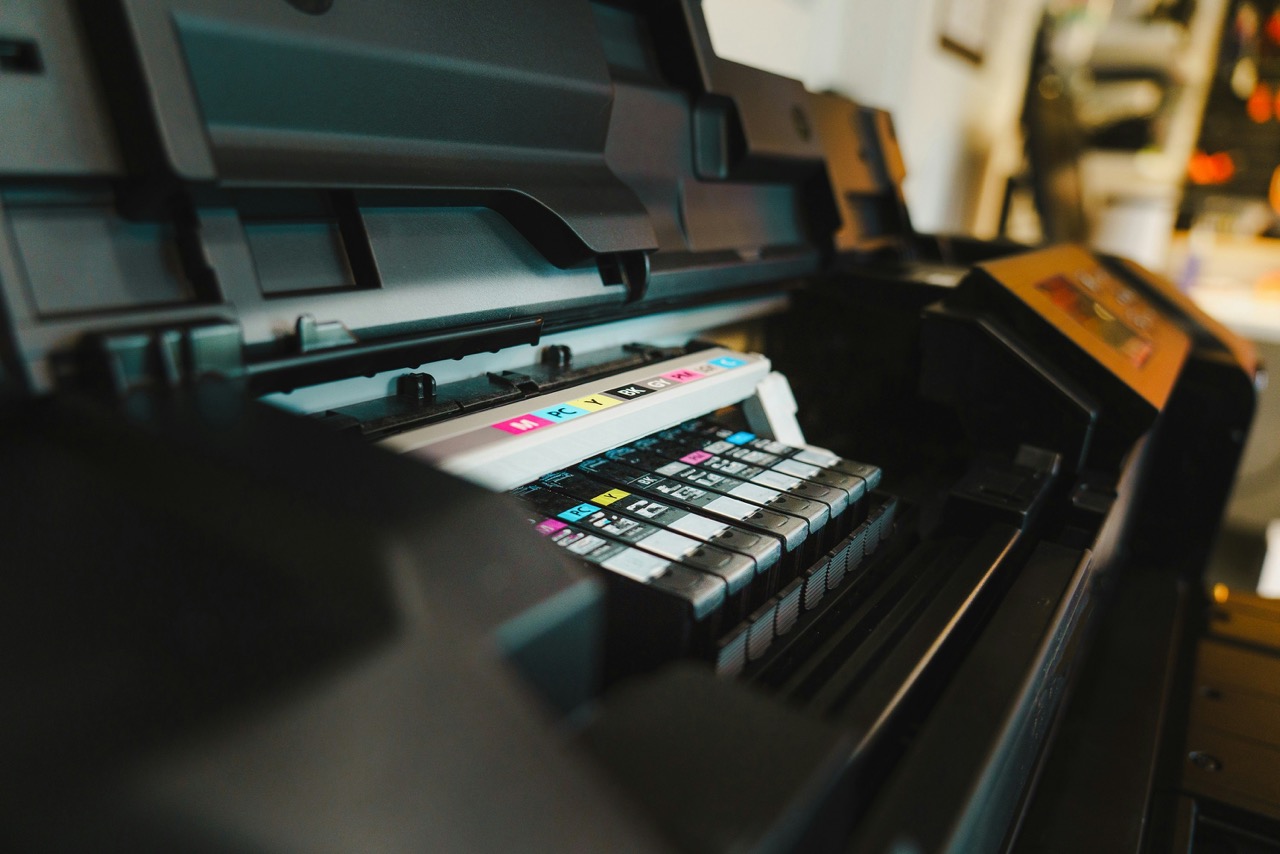
Inkjet digital printing is probably the most innovative sub-category of printing in the industry as these digital printing machines are only getting faster, smarter and more precise for a print that rivals or is straight up better than offset printing. This method involves the printer processing the digital document and prints on pages with liquid ink through tiny microscopic nozzles.
The ink can then be dried in a few different ways depending on the printing machine. The first and most common way of drying printed pages is with heat. Printing machines have built-in thermal components that heat the page to evaporate the water particles in the ink, and force the paper to absorb the rest with some added humidity. The second way is by using UV-light. Many of the best new printing machines in the industry are now built to use UV-curable ink, so that once the ink is applied to a page, a UV light is used to immediately dry or “cure” the ink to the page.
Considerations for Inkjet Book Printing
Great for Image Reproduction
Inkjet has become famous for being able to reproduce photos and images in vivid detail, with gorgeous colour reproduction for incredible print quality. This is evident when printing anything on a gloss or silk paper stock, because although these papers are coated, their coating incorporates microscopic holes to absorb ink without affecting its colour.
Beware of Colour Changes in Uncoated Stocks
However, printing on uncoated paper stocks is another matter, as those papers have no coating whatsoever. This means that when using inkjet printing, any uncoated paper will very easily absorb the liquid ink. This causes colours to appear less vibrant or slightly muted. It’s a really important consideration that can affect the final result of your print.
We think that this is the most important consideration to have for any book printing project, because the combination of printing method and paper stock can completely change the look and feel of a project. This is also why lamination finishes are great too, as they can be coordinated with the right paper stock and printing method for the best result.
It's a Sustainable Printing Method
Inkjet isn’t only the printing method showing the most promise when it comes to technological innovation, but is also the most sustainable option for printing. The liquid ink is water-soluble, more environmentally-friendly and can be recycled. Its cartridges are also recyclable, and in general, inkjet printing machines use less energy, especially if they use UV light for curing the ink, as they don't need to generate high heat temperatures. If sustainability is a key factor for your print project, then inkjet is a great option.
At FolioFox, we're proud to have all our inkjet cartridges recycled through manufacturer recycling programs facilitated by Close the Loop, which reuses or recycles 100% of every inkjet cartridge collected.

How does Laser Printing work?
Unlike inkjet, laser digital printing doesn’t use any ink. Invented in 1969 by Gary Starkweather, laser printing uses lasers and a fine powder called toner that comes in cartridges - hence why it’s also known as toner printing. The way a laser printer works sounds a bit more complicated than inkjet.
The machine uses a laser to etch the details of what you’d like printed onto a drum, where static electricity is used to attract the fine powder in the correct combinations before applying it to the paper. Once applied, the fine powder coating is fused to the paper with heat and pressure.
This process is incredibly fast and economical as a toner cartridge can produce thousands to tens of thousands of printed pages - far more than what a typical inkjet machine can produce. The print quality is especially evident in black & white printing, where only black toner is applied to the page but today’s modern machines can also print in colour too. They can either have four drums for each CMYK component - Cyan, Magenta, Yellow and Registration/Black, or simply repeat the same process four times for each colour component - also known as the Four-Pass System.
It’s been a trusted and widely used printing method particularly because it poses no risk of printed pages smearing as it doesn’t use any ink. During the process, the toner is permanently fused on top of the paper stocks, or in the case of uncoated papers, it is fused directly to the fibres of the paper.

Considerations for Laser Book Printing
Perfect for Black & White Text Pages
Similarly to inkjet printing, the content and corresponding choice of paper stock is the biggest consideration for laser printing. Laser printing is renowned for its ability to consistently produce crisp, high quality printing in high volumes, particularly for black & white content, which is why it’s the common choice for printing the inside pages of novels on uncoated paper stocks.
Not Ideal for Unfinished Book Covers
When it’s not used for black and white prints on uncoated stock, it’s often used to print book covers using coated (gloss/silk) paper in combination with a lamination finish. The reason why is that covers usually consist of photos, images and designs that are filled with colour and few white gaps where no toner powder would be applied to the page.
So although colour toner is fused to the paper stock during the laser printing process, because it isn’t absorbed into the paper like liquid ink, the toner can still be scratched off. This is why toner printed pages are not ideal for covers without a laminated finish, because the areas where a book would be folded to create its spine will crack and the toner will flake off.
Lamination adds a layer of protection that locks in the toner to the page and avoids any potential damage from scratches, wear and tear or cracking when folded during the binding process. It’s also worth noting that you can’t laminate uncoated paper stocks because the lamination needs something to stick to, like the coating on silk or gloss stock, so any uncoated covers will usually be printed with an inkjet printing machine.
It’s Less Sustainable Than Inkjet
This is a factor that may be more important for some, but unfortunately, laser printing is not as environmentally friendly as inkjet printing. Sustainability has become a big consideration, even for major companies like Epson that have phased out laser printer machines and parts manufacturing altogether.
Laser printing is the least sustainable printing method for a few reasons. Firstly, the process requires heat at temperatures higher than inkjet drying systems, so it requires a lot more energy consumption that increases your carbon footprint.
The toner powder itself is non-biodegradable - whereas inkjet is water soluble - because it’s made with finely-milled polyester that releases microplastic particles into the air. This makes toner cartridges more difficult to recycle, and with the machines requiring multiple parts like the drum and fusers which need replacing over time, it all adds up and ultimately contributes more waste to landfill. Despite that, recycling programs like Close the Loop still work hard to recycle toner cartridges, and it’s one of the programs that we proudly participate in.
Inkjet vs Laser: Why Does It Matter?
Inkjet and laser printing will both influence the end result of your book project in different ways, which is why it’s a good idea to understand how they work and the key differences between the two.
Inkjet printing is perfect for printing vibrant, colourful book covers and laser printing is fantastic for crisp, black & white text pages, or covers before a finish like anti-scuff matte lamination. But, that isn’t and doesn’t need to be the print configuration for every project - as printing should be accessible and customisable to suit whatever your needs may be.
Most printers and print experts, like the team at FolioFox, will choose the best method based on their available machinery and years of experience in an effort to print the best possible book for your project. Our team will always work towards the intended outcome whilst maintaining our commitment to sustainability, so you can focus on choosing the best paper stock, binding and other specifications, and we’ll focus on getting it done right.
To get started on your next print project with FolioFox, get in touch with our team by requesting a quote or a call-back with our team today.